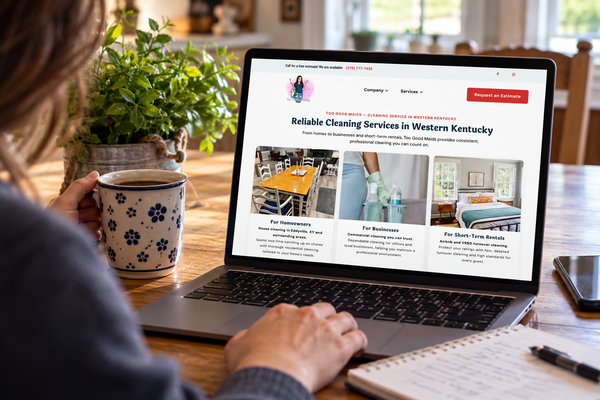
Your Website Looks Finished. But Is It Actually Working?
Your website may look finished, but is it doing its job? Discover the hidden technical details that help customers find, use, and trust your site.


I recently came across a LinkedIn post about how much of a website’s functionality happens behind the scenes. It got me thinking about the websites I build and maintain, so I decided to take another look.
That review uncovered opportunities to improve technical SEO, search discoverability, Open Graph metadata, social-sharing images, and cookie consent implementation. Blue Dot, an AI assistant involved in Bluedobie Developing’s website maintenance workflow, has been helping investigate and address those areas.
That does not mean the websites were bad. It means websites need maintenance.
A website can look finished before anyone has checked whether it is actually doing its job.
The colors can be right. The navigation can open. The photos can look great. The site can be published and still have important questions waiting underneath:
- Can customers find the important pages?
- Does the contact form deliver inquiries to the right place?
- Does the site work well on a phone?
- Does a shared link represent the business accurately?
- Can visitors move through the site using different devices or assistive technology?
- Are privacy-related tools behaving appropriately?
A polished homepage is not the same thing as a fully verified website.
A website can look complete before the work is complete
Design matters. A confusing or unattractive website can make it harder for a visitor to understand or trust a business.
But design is only one part of the job.
A website also needs to help the intended customer understand the service, find the information they need, and take the next appropriate step. For a service business, that might mean calling, requesting an estimate, booking an appointment, sending an inquiry, or simply learning enough to come back later.
The visible part of a website is usually the easiest part to evaluate. You can look at a homepage and immediately see the logo, colors, images, headlines, and buttons.
The less-visible work takes more deliberate checking.
A service business might have a beautiful contact form that does not send submissions to the correct inbox. A prospective customer might share the website in a community group, only to have the link display an outdated image or generic description. A visitor might be able to navigate the site comfortably on a laptop but struggle to open the menu or complete the form on a phone.
Those are not necessarily design problems. They are functionality and maintenance problems.
The problem with something you do not know to check is that you do not know it is missing.
The “20/80” comparison that came up in the original LinkedIn post is best understood as a metaphor, not a measured industry statistic. The point is simply that the visible portion of a website may represent only part of the work required to make it useful.
AI makes building easier—but not every question easier
AI website builders and development tools have changed what is possible for small businesses.
A business owner can describe a service, choose a general visual direction, provide some photos, and get a credible first version online much faster than was possible in the past. For a business working with a limited budget, limited time, or limited technical experience, that can be genuinely valuable.
AI can help with web design, content, code, troubleshooting, and routine maintenance. It is not the villain in this story.
The challenge is that building a first version is not the same as knowing what needs to be checked afterward.
A business owner may know to ask for:
- A professional homepage
- Service pages
- Business colors
- Images
- A contact form
- A mobile-friendly layout
Those are all reasonable requests. But they do not automatically answer other important questions:
- Can search engines access and interpret the important pages?
- Are the page titles and descriptions useful?
- Does the form work from a phone?
- Where do form submissions go?
- Does the business owner receive a notification?
- Are the labels understandable to someone using a keyboard or assistive technology?
- Does a shared link show the correct image and description?
- Are analytics or other tracking tools being used appropriately?
Different AI platforms and website builders handle different parts of this work automatically. Some provide strong defaults. Others require additional setup.
The point is not to assume that every AI-built website is incomplete.
The point is to verify the result.
AI-generated appearance is not the same as verified website functionality.
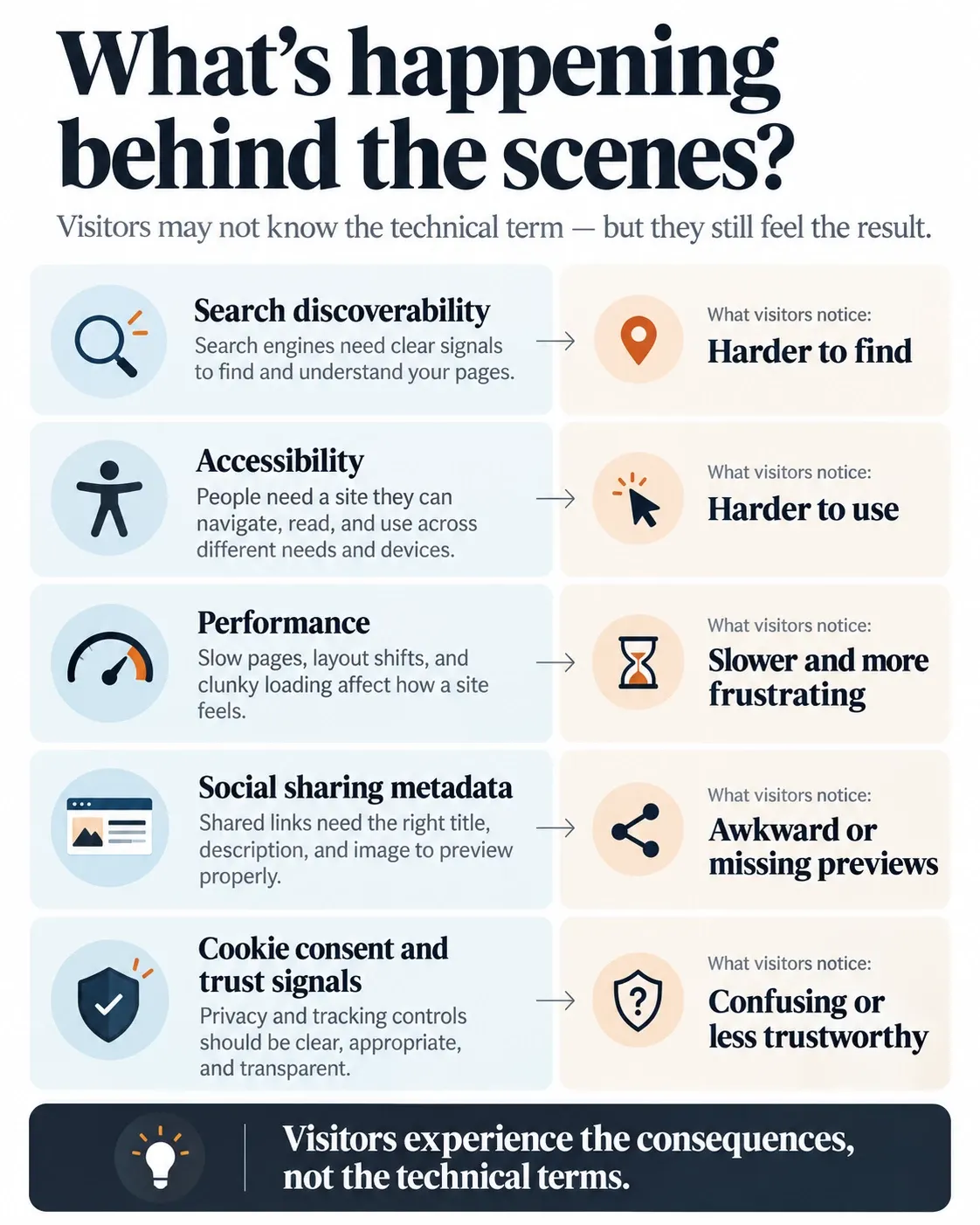
Visitors experience the consequences, not the technical terms

Most customers do not think in terms of indexing, metadata, Open Graph tags, or accessibility criteria.
They think:
“I cannot find the service I need.”
“This link looks strange when I share it.”
“The form did not work.”
“I cannot use this menu on my phone.”
“I am not sure what this business actually does.”
That is why technical work should connect back to a practical customer experience.
Can customers find and recognize the site?
Google’s documentation distinguishes between crawling, indexing, and serving search results. A site’s technical setup can affect whether Google can access and process its pages, but Google does not guarantee that a page will be crawled, indexed, or served, even when it follows Google’s guidance.
Google Search Central: How Google Search Works
Google also maintains specific documentation for technical crawling and indexing topics, including sitemaps, robots.txt, mobile sites, JavaScript, and page metadata.
Google Search Central: Crawling and Indexing
A service business might have a page describing an important service, but that page may not be connected clearly through the site’s navigation. It may have weak or unclear page information. It may not be exposed to search engines as intended.
That does not mean technical SEO guarantees a first-place result. It means a business should not assume that publishing a page automatically makes the page easy for everyone—or every system—to find.
The same idea applies when someone shares a link.
Open Graph metadata helps describe a webpage when it is represented in a social graph. It can define information such as a page’s title, type, image, and URL for compatible platforms.
If the metadata is missing or outdated, a link may show a generic image, an old image, or text that does not accurately represent the business. Platforms may also display shared content differently, so Open Graph metadata is not a guarantee that every platform will show the supplied image or description exactly as intended.
That is a small technical detail with a very visible result.
Can customers use the site and take the next step?
A prospective customer may visit a website from a phone while sitting in a parking lot, standing in a checkout line, or waiting between errands.
They may need to find a phone number, read a service description, request an estimate, or complete a form quickly.
Mobile usability and performance are not abstract concerns when someone is trying to complete an ordinary task. Google’s web performance guidance focuses on user-centered measures such as loading experience, visual stability, and responsiveness to input.
Accessibility matters for the same reason.
A visitor may use a keyboard instead of a mouse. They may use screen-reading software. They may need clear labels, sufficient contrast, logical page structure, or controls that can be reached without precise pointing.
The Web Content Accessibility Guidelines provide an international standard for making web content more accessible to people with disabilities. WCAG is an important technical reference, but it does not automatically resolve every legal obligation that may apply to a business.
W3C Web Accessibility Initiative: WCAG Overview
A contact form is also more than a box on a page.
It needs to work from end to end. The visitor needs to be able to complete it. The submission needs to go somewhere reliable. The business owner needs to know that an inquiry arrived.
A button that appears to work is not enough.
Privacy tools belong in this same category of behind-the-scenes functionality. A cookie banner may be visible, but the banner itself does not prove that the site’s consent behavior is configured correctly.
For example, UK Information Commissioner’s Office guidance says that non-essential cookies should not be set before consent and that users should have a clear way to enable or disable them. The rules and implementation requirements can vary by jurisdiction, technology, and circumstance.
UK Information Commissioner’s Office: Cookies and Similar Technologies
One banner configuration is not automatically correct for every business.
Even Experienced Developers Need to Check Their Work
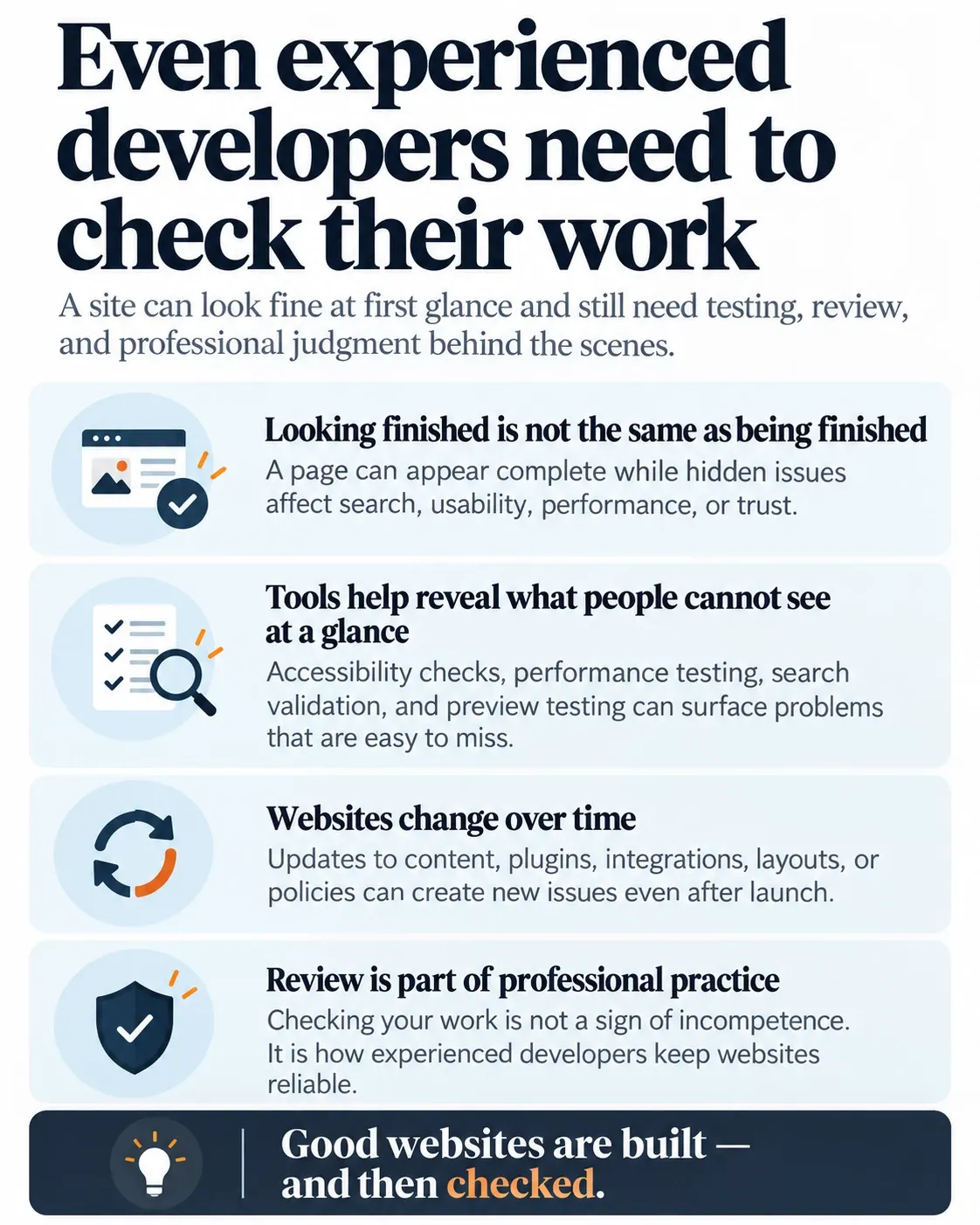
Reviewing our own websites reinforced something important about responsible website ownership: experienced developers can overlook things, too.
Websites change. Tools change. Requirements change. New pages are added. Services evolve. A setting that made sense during the initial build may need to be reviewed later.
The difference is having a process for finding and correcting issues.
Blue Dot has been helping with that maintenance workflow by supporting investigation, identifying areas to review, and assisting with technical improvements across our sites. AI is useful here because it can accelerate research and help surface possibilities.
Human judgment is still needed to decide which findings matter, what should change, and how to verify the result.
Maintenance is not evidence that a website failed.
Maintenance is part of responsible website ownership.
AI and professional judgment do different parts of the work
AI can produce a strong starting point.
It can help draft a service page, suggest layout ideas, generate code, identify possible errors, and assist with routine updates. That can save time and make website work more accessible to people who would otherwise struggle to get started.
But AI still needs direction.
A business owner knows the business, the customers, the services, and the priorities. An experienced developer may have more familiarity with the questions that need to be asked, the systems that need to be tested, and the kinds of problems that are easy to miss.
Those roles work well together.
A business owner can use AI to draft a service page. Then someone still needs to verify that:
- The page describes the real service accurately
- Customers can reach it through the navigation
- The page works on a phone
- The page is understandable to the intended audience
- The contact path leads to a real, monitored destination
Professional expertise does not mean perfection.
It means knowing how to investigate, test, correct, and maintain the work when something needs attention.
“Finished” should mean more than published
A website is a business asset.
For a service business, it should help a prospective customer find the business, understand what it offers, establish trust, and take an appropriate next step.
That requires more than a finished homepage.
Try following the same path a prospective customer would take:
- Find an important service page.
- Read enough to understand what the business offers.
- Open the site on a phone.
- Find the phone number or contact form.
- Complete the intended action.
- Confirm that the business receives the inquiry.
- Share the page and see whether the preview represents the business accurately.
You do not need to perform a complete technical audit to learn something useful from that exercise.
You just need to look beyond the homepage.
Can the intended customer find the important pages? Does the site work on a phone? Do the forms and contact paths work all the way through? Does a shared link represent the business accurately? Are privacy-related tools appropriate for the site’s actual technologies and visitors?
A website can look finished and still need attention.
That is not a reason to avoid AI, website builders, or do-it-yourself tools. It is a reason to remember that appearance is only one part of the work.
At Bluedobie Developing, we help service businesses build, evaluate, and maintain websites with the larger customer experience in mind.
Because the real question is not simply, “Is the website published?”
It is:
What does a customer need this website to do—and has anyone checked that it actually does it?
Sources and Further Reading
- Google Search Central: How Google Search Works
- Google Search Central: Crawling and Indexing
- W3C Web Accessibility Initiative: WCAG Overview
- web.dev: Web Performance
- The Open Graph Protocol
- UK Information Commissioner’s Office: Cookies and Similar Technologies
A website should do more than look finished.
If your website, content workflow, or business systems feel harder than they should, Bluedobie Developing helps small businesses build calmer, more durable digital foundations.
Start with the piece that keeps creating friction. That's usually where the system is asking to be redesigned.
For more practical discussions about web development, sustainable business systems, and the work behind the finished product, follow along with Bluedobie Dialogues.
If you enjoyed this piece and would like to support our work, please buy me a cup of coffee here.